If your BT device name is something like "X__x_", you can fix it with the following steps:
Download attached firmware package v4.1.7_rc1
First, backup your calibrations, and update the firmware
- Open your existing Commander (4.1.5, 4.1.2, whatever you're using now)
- Read your calibrations from the ECU and save them to the file
- Update firmware to v4.1.7_rc1
- Close your Commander
Now, the actual fix
- Open Commander v4.1.7_rc1 and connect
- Press this button, and follow the instructions carefully
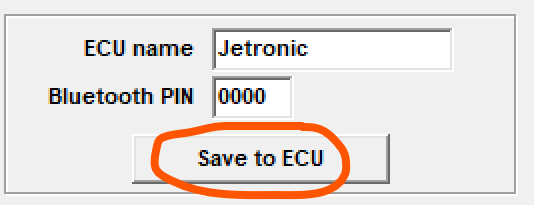
- Unpair your BT device, if paired
- Search for BT device. Now you should see a proper BT device name.
This firmware is not ready for production. You can play around with it, if you want.
Reverting the firmware:
- Update firmware back to your old one.
- Run the old Commander you were using before.
- Restore calibrations from your backup file
